The FeedBear alternative.

Connect feedback to the work. Collect requests, votes and comments on a public portal and inside your app. Gleap keeps each request attached to the customer conversation, to Kai PM prioritization from Team and to the engineering work your team reviews.

4.6/5 on G2
Trusted by 4,500+ teams worldwide
Trusted by 4,500+ teams, from startups to global businesses
Most votesRecent+ Request a feature
All tags ⌄
Planned

Richer Jira (and Linear) Sync: Link, Track, and Customize Issues from Gleap

Also, other setting for integration would be nice: - set labels for tickets (like environment label) - set reporter, maybe we can identify the user and have it as reporter (this tool is used by internal employees) - define a description template for Jira ticket


Integration
Planned

Auto-detect host app dark/light mode for Gleap widget theme

Auto-detect host app dark/light mode for Gleap widget theme Customer asks if Gleap can detect whether the app (or widget host) is in dark mode or light mode and automatically switch the widget theme accordingly.

Planned

Add support for regional public holidays in operating hours settings

Add support for regional public holidays in operating hours settings Select Public Holiday for our Federal State. And create custom holiday for our company e.g. company party.

Planned

Custom Priority Types

Custom Priority Types Enable users to define and utilize custom priority types for tasks or items.

Planned 31

Richer Jira (and Linear) Sync: Link, Track, and Customize Issues from Gleap

Also, other setting for integration would be nice: - set labels for tickets (like environment label) - set reporter, maybe we can identify the user and have it as reporter (this tool is used by internal employees) - define a description template for Jira ticket

Auto-detect host app dark/light mode for Gleap widget theme

Auto-detect host app dark/light mode for Gleap widget theme Customer asks if Gleap can detect whether the app (or widget host) is in dark mode or light mode and automatically switch the widget theme accordingly.

Add support for regional public holidays in operating hours settings

Add support for regional public holidays in operating hours settings Select Public Holiday for our Federal State. And create custom holiday for our company e.g. company party.

In progress 2

Team working hours

Set availability per agent and route conversations by working hours.

Bulk CSV export

Export tickets and contacts in one go.

Released 43

Tables in Knowledge Base

How can I insert a table in Gleap KB editor? I need to insert pricing...

Send Later + Undo Send for Support Replies (with scheduling)

Hello, it happens that customer tickets are being handled from our team.

Gleap widget apps

Add the ability to support custom widget apps.

Subscribe to updates
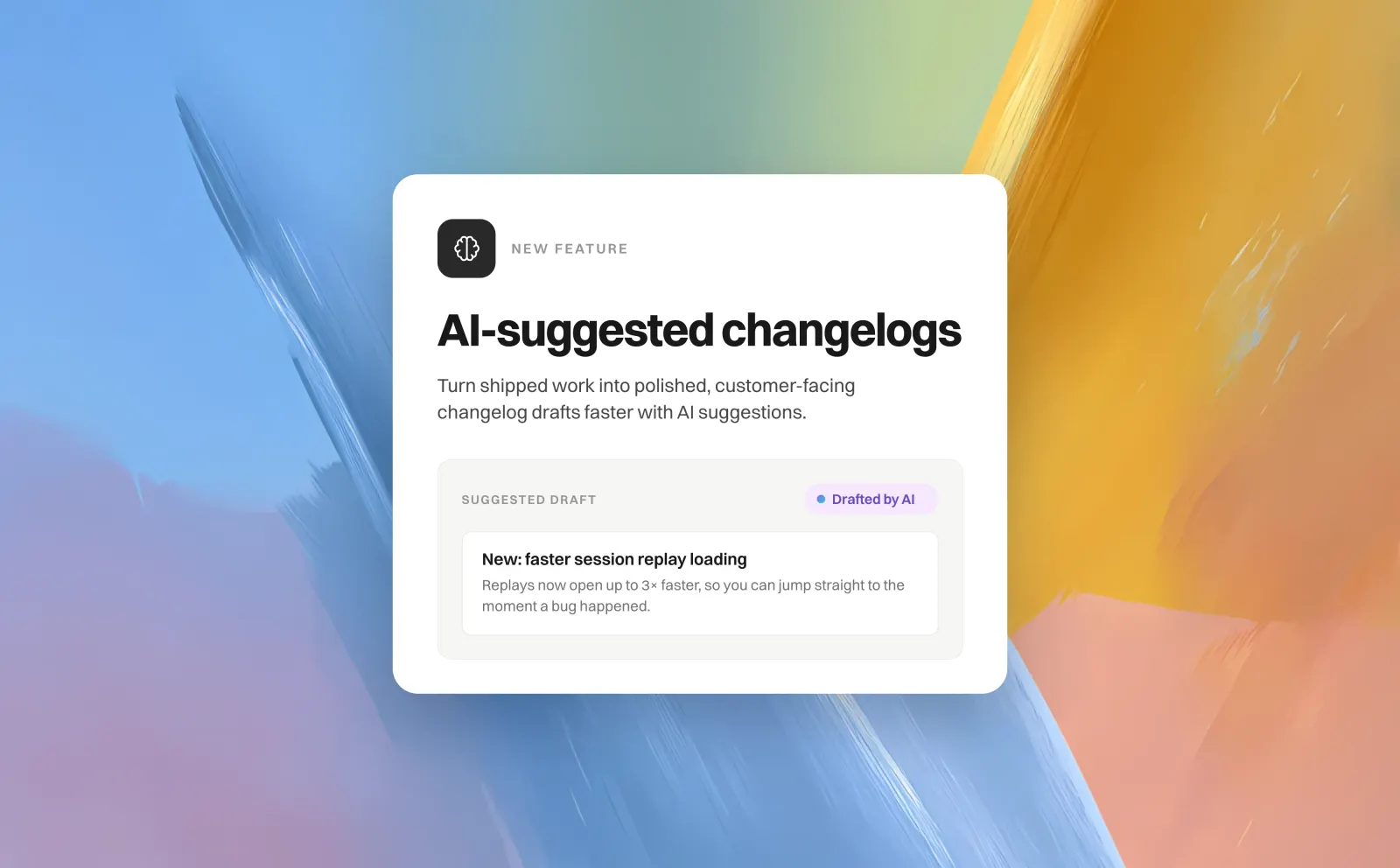
AI-suggested changelogs

AI-suggested changelogs

Start with a draft from your shipped work. Review, edit, and publish when you’re ready.

🔥   🎉   💯 Write a comment…

More control over your inbox

Schedule replies and keep conversations moving.

From a customer’s request to the release update.
Compare plans
FeedBear vs Gleap at a glance. Gleap connects feature requests, a roadmap and a changelog to support conversations and, from Team, Kai PM priorities, from $149/month billed annually with unlimited seats; FeedBear is a focused feedback board priced flat by team members, from $15 to $249 a month billed annually (checked September 25, 2026).
Features
Gleap
FeedBear
Primary focus
Gleap
Feedback, roadmap and changelog connected to support, bug reports and code work
FeedBear
Focused feedback board with a roadmap, a changelog and a website widget
Pricing unit
Gleap
Starter $29/month billed annually or $35 monthly; Team $149/month billed annually or $179 monthly with unlimited seats, Kai Resolve, Kai Code and Kai PM; Pro $299/month ($359 monthly) adds advanced reports, LLM model choice, the SOC 2 report and priority support; AI usage separate. USD list prices, checked September 30, 2026
FeedBear
Flat by team members: Lite $15, Startup $40, Business $82, Enterprise $249 per month billed annually; unlimited end users. USD list prices, checked September 25, 2026
AI
Gleap
From Team, Kai PM triages requests, flags duplicates and scores them against your goals
FeedBear
AI comment replies and changelog drafts
Connected work
Gleap
Support inbox, bug reports and surveys in the same workspace
FeedBear
Intercom, Slack, Trello, Jira and Zapier integrations from Startup
Simple board or connected work. FeedBear keeps feedback simple: a board, a roadmap and a changelog at a low flat price. Keep it when a lightweight board is the whole job; choose Gleap when requests should arrive with the support conversation and move into prioritization and engineering work.
Different scope. Different entry price.
USD list prices, monthly equivalent billed annually, checked September 25, 2026. AI usage, add-ons and taxes excluded; features differ.
Gleap Team
$149 / month$149 / month$149 / month
Billed annually, or $179 month-to-month. Unlimited seats, projects and every Kai agent. Pro adds reports, LLM model choice and the SOC 2 report from $299/month.
Requests, voting and public roadmap
Changelog and release updates
Customer support and knowledge base
Native bug reporting and surveys
Start free trial
Connected workspace
FeedBear Startup
$40 / month$40 / month$40 / month
3 team members and unlimited boards. Lite starts at $15 with 1 member and 1 board.
Feedback boards, roadmap and changelog
Custom domain and website widget
Intercom, Slack, Trello, Jira and Zapier
AI comment replies and changelog drafts
See comparison details
Price the scope you need. Gleap Starter is $29/month billed annually ($35 monthly); Team is $149/month billed annually, or $179 month-to-month, with unlimited seats and projects and every Kai agent (Pro, at $299/month, adds advanced reports, LLM model choice, the SOC 2 report and priority support); AI usage is separate. FeedBear prices flat plans by team members, from $15 to $249 per month billed annually, with unlimited end users on each plan.

Meet your AI team.

Answer customers. Investigate issues. Build what comes next. Kai Support is on every plan; Kai Resolve, Kai Code and Kai PM are on Team and up. AI usage is billed separately on every plan.

Kai Support

Answers customers

Answers from your knowledge base and connected sources. Brings your team in when needed.

Meet Kai Support

Kai Resolve

Investigates hard tickets

Reads logs, the click trail, screenshots and code. Returns findings and prepares coding tasks for confirmed bugs.

Meet Kai Resolve

Kai Code

Builds the fix

Plans the change, writes and tests code, and opens a pull request. Your engineers review and merge.

Meet Kai Code

Kai PM

Prioritizes requests

Triages feedback, finds duplicates and scores requests. You decide what belongs on the roadmap.

Meet Kai PM

Understand the customer’s need.

Votes with the conversation attached.
Customers post requests, vote and comment on the portal or inside the widget. Support links the conversation to the same request, so a decision rests on more than a vote count.
Explore product feedback

Merge duplicates, keep the votes.

Kai PM finds the overlap.
From Team, Kai PM flags likely duplicates as requests arrive. Your team confirms each merge, and the votes stay together on one request.
Explore Kai PM

Show progress in the open.

Planned, in progress, released.
Move requests through the stages you define and publish the roadmap for customers. Your team decides which requests and statuses are public.
Explore the public roadmap

Start work from the request.

Build with the context ready.
From Team, ask Kai PM to start a coding session for a feature request. Approve the request and repositories, then review the pull request before merging and releasing.
Explore Kai Code

Announce what shipped.

Follow through with customers.
Gleap suggests changelog entries from merged pull requests. Your team edits the draft, decides what to publish and chooses who hears about it.
Explore release updates
How teams use Gleap
“Everything is in the same place.”
Tridonic brought customer conversations, ticket routing, surveys, and AI support into one Gleap workspace.
Elif Kavas
Digital Customer Experience Platforms Specialist, Tridonic
“An essential part of our development process.”
Gleap was implemented within minutes and helps MARK.ONE fix bugs quickly while building real customer relationships.
Mark Breuß
Founder, MARK.ONE
“This is an exceptionally good tool.”
Commonplace brought feedback, support, knowledge, and roadmap work into Gleap.
Benjy Meyer
Chief Product & Technology Officer, Commonplace
Your switching questions, answered. Feedback boards, pricing, Kai PM and the move.
Build from what customers ask for.
4.6/5
on G2